
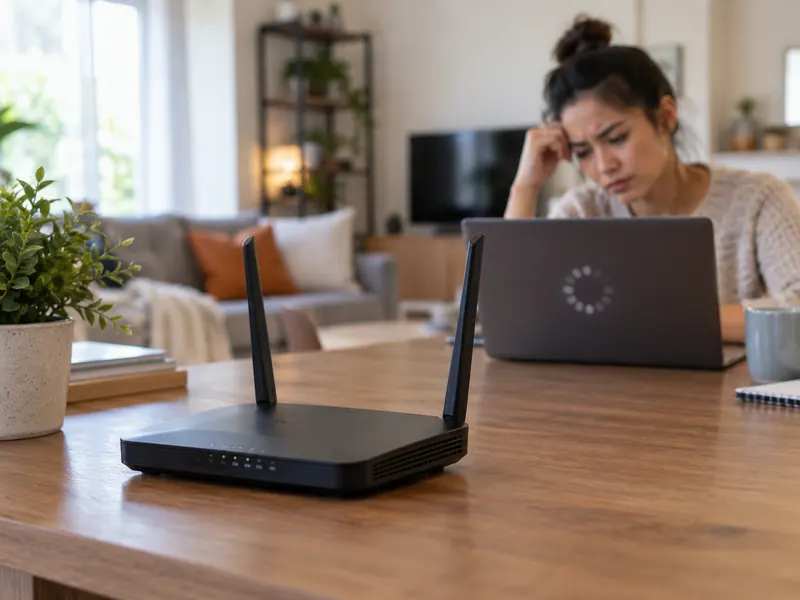
“The internet is slow” can describe several different problems: the connection from your provider may be slow, the Wi-Fi link between your device and router may be weak, or one device may be busy using most of the available bandwidth.
A useful first test is to compare multiple devices and, if possible, compare Wi-Fi with a wired Ethernet connection. That helps separate a wireless problem from an internet-service problem.
1. The router is hidden in a poor location
Wi-Fi signals lose strength through walls, floors, metal, concrete, mirrors, and distance. A router inside a cabinet at one end of the house may struggle to cover rooms on the opposite side.
Place the router in a central, elevated, open location when possible. Avoid enclosing it behind televisions or inside metal furniture.
2. Interference and crowded channels
Neighboring Wi-Fi networks, Bluetooth devices, microwave ovens, and other electronics can contribute to interference, especially in crowded 2.4 GHz environments.
Modern routers can often select channels automatically. Rebooting or using the router’s optimization tool may help, but manual channel changes should be made only if you understand the local environment.
3. You are using the wrong Wi-Fi band for the situation
2.4 GHz generally reaches farther and penetrates obstacles better, while 5 GHz and newer 6 GHz networks can provide higher speeds at shorter range with compatible devices.
Use the band that fits the distance and device. Many mesh systems combine bands under one network name and steer devices automatically.
4. Too many devices are active at once
Streaming video, cloud backups, game downloads, security cameras, and video calls can compete for the same internet connection.
Check the router’s device list and pause large downloads when you need stable performance for calls or gaming. Quality-of-service settings can help on some routers.
5. The router or device is using old Wi-Fi technology
An older router may not support newer Wi-Fi standards, faster radio bands, or enough simultaneous devices. Likewise, an old laptop may be the bottleneck even when the router is new.
Check the capabilities of both ends before buying new hardware. A router upgrade cannot make an old client radio support a standard it does not have.
6. Firmware or software is outdated
Router firmware and device network drivers can include performance, stability, and security fixes.
Enable automatic router updates if the manufacturer supports them, and keep phone, computer, and adapter software current.
7. The problem is actually your internet connection
If a wired speed test is also slow, the bottleneck may be the modem, service plan, line quality, or a provider outage rather than Wi-Fi.
Restart equipment according to the provider’s instructions, check service status, and contact the ISP if performance remains far below the expected plan speed.
A Better Way to Test Wi-Fi
Run tests in the same locations at different times, not just once. Note signal strength, which device you used, and whether other devices were streaming or downloading. Consistent measurements make troubleshooting much easier.
Frequently Asked Questions
Will a Wi-Fi extender always fix slow Wi-Fi?
No. An extender can improve coverage, but placement and backhaul quality matter. A poorly placed extender may repeat a weak signal and provide little improvement.
Should I reboot my router every day?
A healthy router should not require constant manual reboots. An occasional restart can clear temporary issues, but frequent problems may indicate firmware, overheating, interference, or hardware trouble.
Is 5 GHz always faster than 2.4 GHz?
At close range with compatible equipment it often provides higher throughput, but 2.4 GHz may perform better through walls or at longer distances.
A Three-Test Wi-Fi Troubleshooting Method
Separate a home Wi-Fi problem from an internet-service problem before buying equipment. If possible, use the same device and the same speed-test service for comparisons.
- Near the router: test on Wi-Fi with other intensive downloads paused. Record the result and the Wi-Fi band if visible.
- In the slow room: repeat the test with the same device. A large difference points toward coverage, interference or building-layout effects.
- With a wired connection: if a suitable device is available, compare an Ethernet test. Consistently slow wired results may require checking the modem, service plan or provider.
One speed test is only a snapshot: repeat comparisons at more than one time of day. Before purchasing an extender or mesh system, try a more central router location and check firmware updates supported by the manufacturer.